Security
Encrypt your wallet
Before setting a password, your Bisq wallet files are stored on your hard drive unencrypted. That means anyone who gains access to your computer (whether by physically stealing it or by hacking it remotely) can gain access to your private keys and take your bitcoin.
Setting a password encrypts your Bisq wallet files so they’re useless to anyone without the password.
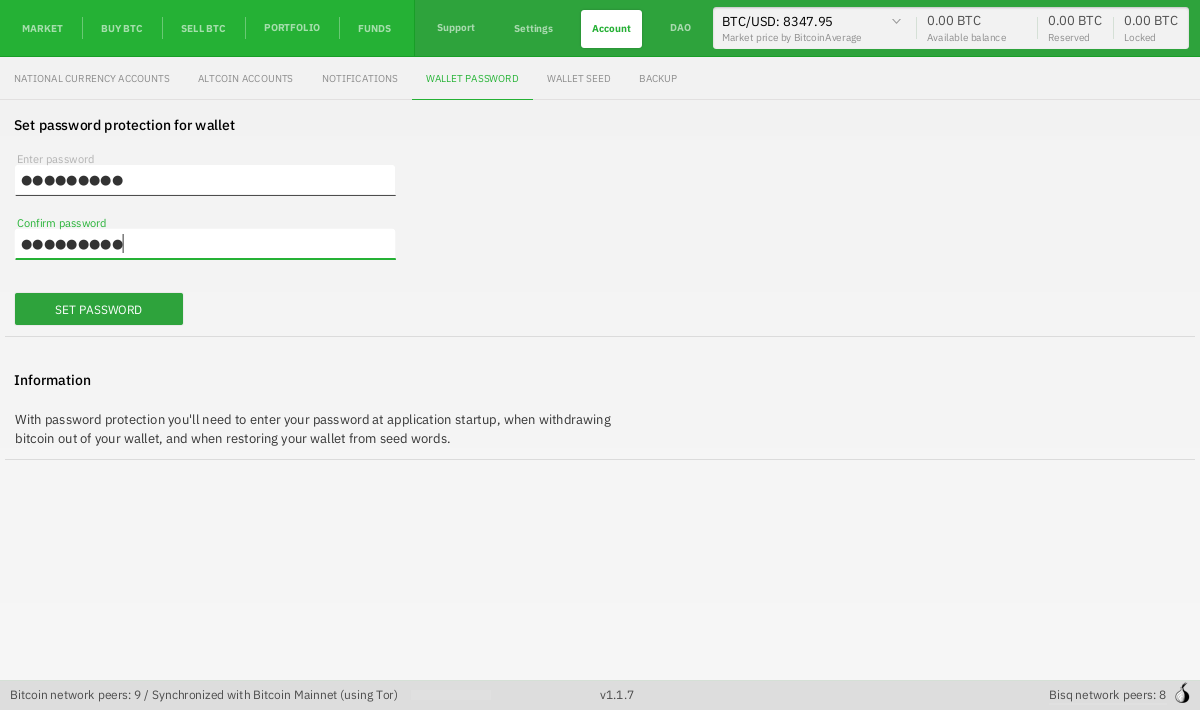
To set a password, go to the Wallet password section of the Account screen and enter a password.
Write down your seed words
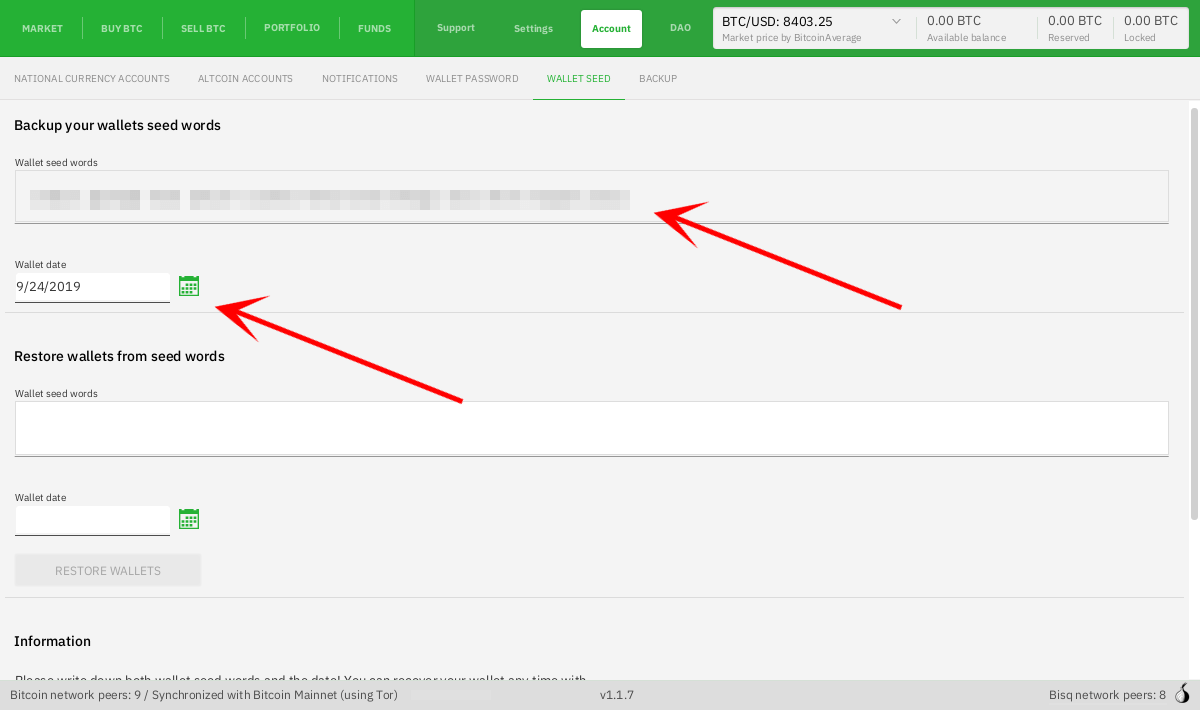
Now that you’ve set a password, it’s time to write down your wallet’s seed words. Go to the Wallet seed section of the Account screen and write down the words you see in the Wallet seed words field along with the Wallet date. Wallet date is required by bitcoinj, which is the library Bisq uses to interact with the Bitcoin network.
| You should actually write down your seed words and wallet date using pen and paper. Saving them on your computer, even if you do so in a secure password manager, makes it possible for a hacker to obtain them through sneaky schemes like keylogging. Going low-tech with pen and paper eliminates all such digital attack vectors. |
With just your wallet’s seed words and date, you can restore your Bisq wallet and all its BTC and BSQ into a new Bisq wallet if you ever need to. If you lose your wallet’s seed words and date, you won’t be able to restore your wallet, and all funds in it are lost forever. So make sure you keep that paper safe!
With your wallet encrypted and your seed words written down, the bitcoin in your Bisq wallet is much more secure.
Learn how to restore your wallet on Bisq.network